Vacuum Warranty Guide: What's Covered and What's Not
Manufacturer warranties on vacuum cleaners cover defects in materials and workmanship, including motor failures, electrical faults, and battery defects, for 1-2 years. They exclude belts, filters, clogs, accidental damage, pet-related damage, normal wear and tear, and commercial use of residential models.
You just dropped real money on a new vacuum, and the checkout screen is asking if you want to add a protection plan. Your gut says it's probably a waste, but then you imagine the motor dying thirteen months from now. The frustrating part is that warranty language is written to confuse you. Phrases like "defects in materials and workmanship" sound official but tell you almost nothing about whether your specific problem would actually be covered.
Manufacturer warranties protect you from the vacuum being built wrong, not from it wearing out. A motor failing due to a factory defect is covered. One that burns out because you never cleaned the filter is not. That one distinction is behind most warranty claim denials.
You can use this guide to figure out exactly what's worth paying attention to and what's worth ignoring, whether you're eyeing a cordless stick vacuum with a separate battery warranty or a budget upright where the repair might exceed the replacement cost.
What does a vacuum warranty actually cover?
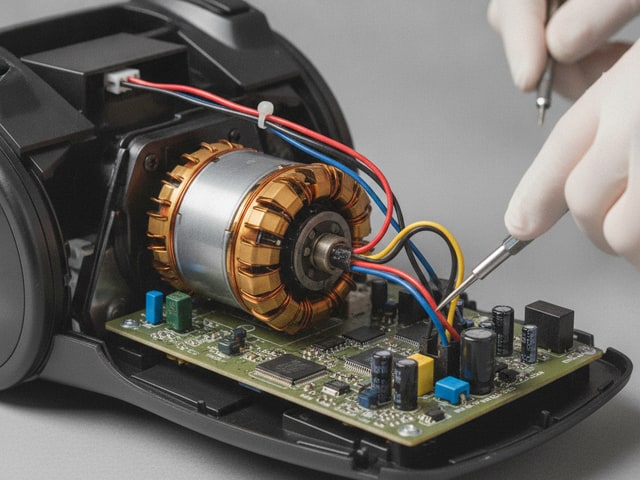
A manufacturer's warranty covers defects in construction and workmanship that existed when the vacuum left the factory. Nothing more. That phrase sounds vague, but it translates to specific failures: a motor dying from a faulty winding, a circuit board (PCB) that shorts out due to a soldering defect, internal wiring that was improperly connected during assembly, or a sensor module on a robot vacuum that malfunctions from a hardware defect. The warranty applies when the problem traces back to how the vacuum was built rather than how you used it.
Battery coverage on cordless models
Cordless stick vacuums add a wrinkle that trips up a lot of buyers. Battery defects, like a cell that refuses to hold a charge after just a few weeks or one that won't charge at all out of the box, fall under the manufacturer's warranty. But batteries often carry a separate, shorter warranty term than the body of the vacuum. You might get two years on the vacuum body and only one year on the battery pack. The owner's manual spells out these split terms, and it's worth checking before you assume everything expires on the same date.
Normal battery aging is a different story. Every lithium-ion battery loses capacity over regular use. That gradual decline in runtime is expected behavior, not a covered issue. No manufacturer covers that.
Overheating and the maintenance line
Internal overheating caused by a manufacturing fault (say, a thermal fuse that was wired incorrectly at the factory) falls squarely within warranty coverage. But overheating that happens because you ran the vacuum with a clogged filter or a packed dustbin does not. Manufacturers draw a hard line between "the machine was built wrong" and "the machine wasn't maintained." Cleaning or replacing filters on schedule matters more than most people realize for keeping your coverage intact.
How long does coverage last?
Most vacuum warranties run 1-2 years on the full unit, covering both parts and labor for internal defects. Some brands stretch motor coverage further. 3 to 7 years is common on premium models, though that extended window often covers parts only, meaning you'd pay for the labor yourself.
SEBO, a German commercial-grade vacuum brand, offers one of the strongest warranty packages in the industry: 5 years of parts and labor on most internal components, plus 7 years covering the motor. That kind of coverage is rare, especially with labor included for the first five years. Among budget and mid-range vacuums in the $40-$200 range, warranty terms vary more than you'd expect. Some stick to a basic 12-month limited warranty, while others extend to two years or longer. Either way, understanding exactly what's covered and protecting your receipt matters a lot.
What voids your vacuum warranty?
Five common actions can kill your warranty coverage before you ever file a claim, and most of them happen without you realizing it. Manufacturers bury these conditions deep in the product manual, so you might not discover you voided your coverage until the moment you actually need it.
Using a residential vacuum for commercial work
Running a house-cleaning business with a home-rated vacuum across multiple clients' homes for 12-15 hours a day counts as commercial use under virtually every residential warranty. Angela Brown, a professional cleaning industry educator, stresses this point repeatedly: owner's manuals explicitly exclude commercial use, and manufacturers can deny your claim based on how and where the vacuum was used, not just how long you've owned it. Even if the vacuum looks fine externally, the usage pattern alone is enough to void coverage. Professional cleaners are better off buying commercial-grade vacuums that come with warranties built for that workload.
Installing non-OEM or third-party replacement parts
Swapping in a generic filter, off-brand bag, or third-party brush roll might save you $10 in the short term, but it gives the manufacturer a reason to push back on a warranty claim. Warranty terms typically specify that damage caused by aftermarket parts isn't covered, and proving what caused what can be difficult. Some manufacturers will still try to deny claims when the third-party part had nothing to do with the failure. The same goes for unauthorized repairs. Someone other than the manufacturer or an approved repair facility opening up the vacuum and working on internal components can void your remaining coverage. Sticking with OEM parts while your vacuum is still under warranty is the safest move, especially for HEPA vs. HEPA-type filters where the wrong spec could also affect performance.
Buying from an unauthorized retailer
Some brands won't honor the warranty at all if you purchased from an unauthorized seller. Vacmaster, a wet/dry vacuum manufacturer, explicitly excludes products bought through unauthorized retailers from warranty coverage. Full stop. You could have a clear-cut manufacturing defect, and the claim gets denied because of where you bought it. Before purchasing from a marketplace seller offering a suspiciously low price, check whether that seller is listed as an authorized dealer on the manufacturer's website.
Failing to register the product
Many manufacturers require you to register your vacuum's serial number, purchase date, and retailer information to activate warranty coverage. Brown stresses that skipping this step can mean your product simply isn't covered when something goes wrong. Registration requirements vary by brand. Some treat it as mandatory activation, others just use it to speed up claims. But the safest move is to register within the first week of ownership. The product manual that came with your vacuum will tell you whether registration is required or optional.
Storing improperly or exceeding the vacuum's rated capacity
Leaving your vacuum in a garage exposed to heat, moisture, or temperature swings can void coverage under the "improper storage" exclusion that most warranties include. The same logic applies to using a household vacuum beyond what it was designed to handle. Running a standard home vacuum over construction dust, drywall debris, or fine particulate matter puts stress on the motor and filtration system in ways the manufacturer never intended, and they'll classify the resulting damage as misuse, not a manufacturing flaw. You need a shop vac rated for fine dust for renovation cleanup, not the cordless model you use on your kitchen floor.
The common thread across all five is that manufacturers are looking for evidence you used the vacuum outside the conditions described in the owner's manual. Reading that manual, specifically the warranty section, takes about five minutes and can save you from accidentally disqualifying yourself from a claim worth far more than the time it takes.
How to register and protect your warranty from day one
Warranty registration takes about ten minutes on the day your vacuum arrives, and skipping those ten minutes is one of the most common reasons claims get denied later. Four steps, done once, and you won't have to think about it again.
Photograph the serial number and UPC immediately
Your vacuum's serial number is the unique identifier that ties the product to its warranty record, and you need it for every interaction with the manufacturer from registration to claims. Take a clear photo with your phone and write it inside the front cover of the owner's manual that came in the box. Do the same with the UPC barcode on the packaging before you break it down for recycling. Having both numbers in two places saves you from scrambling to find a label that may have worn off.
Register with the manufacturer
Most brands let you register through their website, by email, or by phone, and many require it to activate coverage. You'll typically need the serial number, your purchase date, the retailer name, and the price you paid. Unregistered products may not be covered at all when a claim is filed, even when the defect is obvious. Registration usually takes under five minutes, and some brands send you a confirmation email that doubles as a backup record. Do it the same day you unbox the vacuum so it doesn't fall off your to-do list.
Save your receipt and order confirmation
A receipt or order confirmation is required for nearly every warranty claim, and losing it can mean a flat denial, even if the manufacturer can look up the serial number in their system. Star or label the order confirmation email so you can find it later when you buy from Amazon or another online retailer. For in-store purchases, snap a photo of the paper receipt before it fades. A screenshot of your credit card statement showing the charge, retailer, and date works as a backup in most cases. Store the documentation in at least two places: email folder, phone photos, or a simple "warranties" folder on your computer.
Read the warranty section of your user guide
Your vacuum's product manual, the booklet most people toss in a drawer, contains the actual warranty terms that determine whether a future claim gets approved or denied. Spend five minutes reading the warranty pages to check for two things: whether your vacuum has separate coverage periods for different components (the body and the battery on cordless models often have different expiration dates), and whether there are usage restrictions that could void your coverage. The manual is the manufacturer's definitive document, and it overrides whatever the sales page or box copy said. Most manufacturers host a PDF version on their support page under your model number when you can't find the physical booklet.
All four steps together take less time than unboxing the vacuum itself. The goal is simple: when something goes wrong eight or fourteen months from now, you want the serial number, registration confirmation, receipt, and warranty terms all findable within sixty seconds. That preparation is the difference between a smooth claim and a denied one.
Are extended vacuum warranties worth it?
Extended warranties are not worth the money for most vacuum buyers. Consumer Reports, the independent product-testing organization, found that extended warranties average about $21 for small appliances and $126 for large ones, but it costs only about $26 more on average to repair items without a service plan than with one. That gap is small enough that setting the warranty money aside in a savings account and self-funding a future repair is statistically the smarter bet.
Out-of-warranty vacuum repairs shift the math on expensive models. Repair bills often run 30-40% of what you originally paid. On a $400 vacuum, a single motor or electronics repair could easily cost $120-$160. On a budget stick vacuum, the repair might approach the replacement price, at which point buying new makes more sense than paying for the fix, let alone paying for an add-on protection plan upfront. Paid coverage only starts to pencil out on expensive models where a single component failure would run higher than the plan itself.
Check your credit card before you pay for anything
Credit card extended warranty benefits are among the most overlooked perks in consumer electronics. Many major credit cards automatically extend the manufacturer's warranty by one year or more without charging you a dime. You just have to use that card for the purchase. A vacuum with a standard one-year factory warranty and a card that adds another year gives you two years of defect coverage beyond the sticker price. Check your card's benefits guide or call the number on the back before paying for a separate plan that duplicates what you already have.
What third-party plans actually cover
Upsie, a third-party extended warranty provider, sells vacuum protection plans that extend coverage for up to three years beyond the manufacturer's term. Their plans cover mechanical failure (motors, internal moving parts), power failure (shorts, internal cord issues), and drain failure for carpet washers with drainage systems. That's broader than what most factory warranties include after the first year or two.
These third-party plans still have limits, though. Wear items like belts, filters, and brush rolls are excluded. You're paying for protection against internal breakdowns, not everyday mishaps. Coverage for accidental damage (drops, cracked dustbins, liquid spills) is a separate product entirely, and if that's your main concern (common in households with pets or kids), you'd need a dedicated plan for that.
The simplest rule of thumb: skip the add-on plan on vacuums under $200 and rely on the included warranty plus any free credit card extension. If you're spending $400 or more on a robot vacuum with expensive sensors and batteries, an extended plan becomes easier to justify, but only after confirming your credit card doesn't already provide the same thing free of charge.
Store protection plans vs. manufacturer warranties
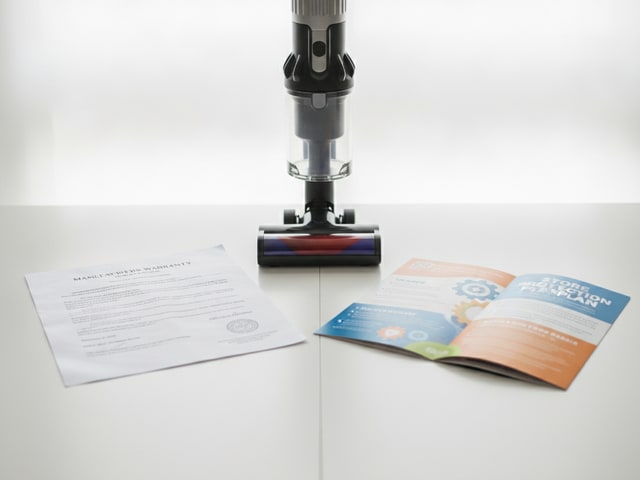
Store protection plans cover things your manufacturer's warranty doesn't (accidental damage, wear items, and sometimes even pet-related destruction) but you're paying extra for coverage that partially overlaps with what you already get for free. Understanding where these two types of protection diverge helps you avoid paying twice for the same thing.
Feature | Manufacturer's warranty (free) | Store protection plan (paid add-on) | Shipping/transit protection |
|---|---|---|---|
Cost | Included in purchase price | ~$30-$50/year for accidental damage coverage | ~$5 per order |
Coverage period | 1-2 years full unit; up to 3-7 years on motor (some brands) | Varies by retailer; typically 2-3 years from purchase | Delivery window only |
Internal defects (motor, PCB, wiring) | Yes | Yes (duplicates manufacturer coverage in year one) | No |
Accidental damage (drops, cracked bins, spills) | No | Yes, on most plans | No |
Pet-related damage (chewed cords, hoses) | No | Yes, if accidental damage is included | No |
Wear items (belts, filters, brush rolls) | No | Varies by plan | No |
Damage during delivery or porch theft | No | No | Yes |
Commercial use coverage | No (residential models only) | No (follows same residential-use restrictions) | N/A |
The biggest overlap happens in year one. Your free factory coverage already handles internal defects during that period, so a store add-on plan is mostly sitting idle until the manufacturer's term expires. You're paying from day one for protection that only becomes unique after month twelve or twenty-four, depending on how long the original coverage lasts.
Accidental damage plans are where store offerings earn their keep. A cracked dustbin from a fall down the stairs, a cord chewed by a puppy, or a broken hose from getting caught on furniture. None of that falls under any manufacturer's warranty. Households with pets or young kids and a vacuum expensive enough that replacing it would sting get the most value from this kind of plan. For calmer environments, that money is better left unspent.
Shipping and transit protection is an entirely different category, covering damage that happens between the warehouse and your door, including porch piracy. At roughly $5 per order, it's cheap insurance for ordering a vacuum online in an area where packages sit unattended. But it has zero connection to how the vacuum performs once you start using it, so don't confuse it with either a factory warranty or a store plan.
Credit card warranty extensions make most store defect-only plans redundant, as covered earlier in this guide. The only store plans worth considering are ones that add drop-and-spill protection, and only on vacuums expensive enough that a single accident would cost you more than the plan itself.

How the warranty claim process works
Filing a warranty claim starts with contacting either a local authorized repair shop or the manufacturer directly, and which route you take depends on the brand and where you live. The process is simple if you've kept your documentation in order, but a few details can trip you up without the right questions upfront.
Taking your vacuum to an authorized service center
AceVacuums, an authorized warranty center for brands like Miele and Dyson, is a good example of how in-person claims work. Shops like this one can pull up the serial number, verify your warranty eligibility on the spot, and often complete same-day repairs if the needed parts are in stock. You walk in with a broken vacuum and walk out with a working one. No shipping boxes, no two-week wait. Authorized centers carry that status because the manufacturer trusts them to diagnose problems accurately and perform repairs to factory standards, so the work is treated the same as if the brand did it themselves.
Not every brand has local service centers, though. Miele and Dyson maintain networks of authorized repair shops in many metro areas, but a budget or mid-range vacuum from a smaller brand might not have a nearby authorized location at all.
Shipping your vacuum for repair
Brands without local service networks typically ask you to ship the vacuum to their repair facility. Before you box anything up, call or email the manufacturer and ask one specific question: who pays for shipping? Get the shipping terms in writing before you commit, because on a heavy upright vacuum, round-trip shipping can eat into the value of a "free" warranty repair.
Repair vs. replacement
Most warranty terms give the manufacturer the choice of whether to repair or replace your vacuum. In practice, they'll almost always attempt a repair first: swapping out a defective motor, replacing a faulty circuit board, or fixing an internal wiring issue. Replacement typically only happens when the unit can't be fixed or when the repair expense exceeds the product's value. You don't get to choose, and that's standard across the industry.
Why claims get denied
Claim denials tend to fall into a handful of categories, and most are preventable. Damage classified as misuse is the most common. A motor that burned out because a clog went uncleared for weeks gets filed under "user error," not "defect." An expired warranty period is the second most frequent reason, often because the owner assumed the coverage was longer than it actually was or didn't realize the battery had a shorter term than the vacuum body.
A missing receipt ranks third. Even if the manufacturer can look up the serial number in their system, many brands still require an order confirmation to process the claim. An unregistered product is the fourth common denial trigger for brands that require activation. And using third-party replacement parts, even when the aftermarket filter or brush roll had zero connection to the failure, gives the brand grounds to reject the claim entirely.
You can sidestep every one of these by following the registration and documentation steps covered earlier in this guide. The claim process itself is simple. What determines whether it goes smoothly or hits a wall is the preparation you did on day one.
Warranty considerations by vacuum type
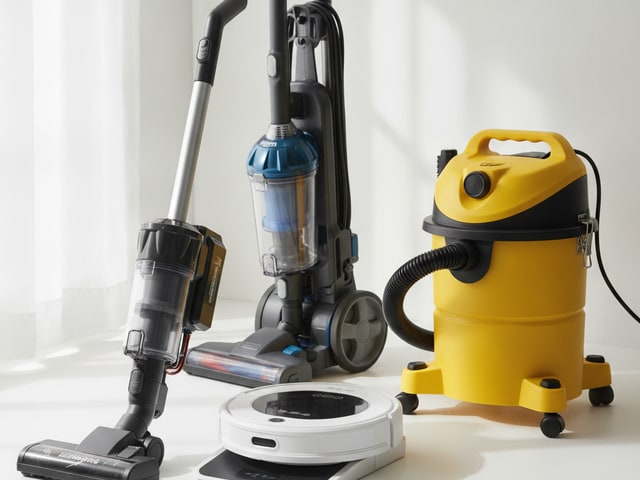
Different vacuum categories have different failure points, and the warranty terms reflect that. A cordless stick model and a wet/dry shop vac might both carry "limited warranties," but what those warranties actually protect, and what they exclude, varies enough that you need to know the specifics for whatever type you own.
Cordless stick vacuums
Your biggest warranty question with a cordless stick vacuum is almost always about the battery. Dyson, a major brand of bagless and cordless vacuums, and Shark (SharkNinja), one of the most popular mid-price vacuum brands in the U.S., both use separate warranty terms for the battery pack versus the body. That split catches people off guard when they file a claim over a year in, assuming everything expires on the same date.
The coverage distinction that matters most is defect versus aging. A battery cell that arrives dead or stops charging after three weeks is a manufacturing defect and it's covered. A battery that gradually drops from full runtime down to half after months of daily charging cycles is normal lithium-ion degradation, and no warranty covers it. You should factor in the price of a replacement battery pack as a future expense rather than something the warranty will handle when shopping for a cordless model you plan to use heavily.
Robot vacuums
Robot vacuums pack more electronics into a smaller body than any other vacuum type, and that creates more potential failure points. Sensor arrays, navigation modules, docking station hardware, and onboard processors are all covered under the factory warranty when they fail due to a hardware defect. A mapping sensor that dies or a dock that stops charging the unit from a faulty connection qualifies as a warranty claim.
Software and connectivity glitches sit on the other side of the line. Your robot vacuum losing its Wi-Fi connection, failing to update its app, or mapping your living room incorrectly after a firmware update: none of that qualifies unless you can prove a hardware component caused the problem. The repair math also hits harder with robots, which is why extended coverage becomes easier to justify at this price tier than with simpler vacuum types.
Upright and canister vacuums
Traditional uprights and canisters tend to have the most generous motor warranties in the industry. Some brands offer 3-7 years of motor protection on select models. The motor is the most expensive single component, so that extended window gives you real protection where it counts.
Belts, brush rolls, filters, and wheels are classified as consumables by every manufacturer, excluded from coverage regardless of how long the motor warranty runs. You'll replace belts and brush rolls as part of normal maintenance, and that expense comes out of your pocket from day one. Budget for those replacements rather than expecting the warranty to cover them.
Wet/dry shop vacs
RIDGID, the power tool and wet/dry vacuum brand sold primarily through Home Depot, offers a full lifetime warranty on certain shop vac models, which sounds incredible until you read the exclusions. Motor burnout caused by running the vacuum with a blocked hose or clogged filter is classified as misuse, not a defect. Using the vac beyond its rated capacity (like sucking up fine drywall dust with a unit not designed for that particulate size) also falls outside coverage. The lifetime term applies to manufacturing defects under normal use conditions, and the brand defines "normal" more narrowly than most buyers expect.
You should check whether your specific shop vac model is rated for fine particulate before assuming the warranty will bail you out if the motor chokes during renovation work or job-site cleanup. A unit rated for general wet/dry pickup and one built for fine construction dust are different products with different warranty expectations, even within the same brand.
Budget vacuum warranties: what to expect under $200
Most vacuums in the $40-$200 range come with a one-year limited manufacturer's warranty that covers manufacturing defects only, and that's about it. Extended motor coverage, the kind you see on premium brands stretching to several years, is uncommon in this price bracket. You get twelve months of protection against the vacuum being built wrong, and after that, you're on your own.
Repair costs in this tier make add-on plans especially hard to justify. A fix on an inexpensive vacuum can approach half what you originally paid, and for many models, buying a replacement outright costs less than the repair plus the warranty premium combined.
Your most cost-effective move is a credit card that automatically extends the included warranty by a year, doubling your defect coverage from twelve months to twenty-four without spending anything extra. Before you buy any vacuum in this range, check whether your card offers this perk.
Authorized purchase channels matter more in this price range than any other. Budget vacuums from lesser-known brands are everywhere on Amazon and other marketplaces, and some of those listings come from unauthorized third-party sellers. A manufacturer that doesn't recognize the seller as authorized can deny your warranty claim regardless of the defect. Stick with listings sold directly by the brand or by the marketplace itself, and verify the seller's status on the manufacturer's website when you're unsure. A $90 vacuum carrying a valid one-year warranty is a better deal than a $75 vacuum with coverage that exists only on paper.
You can dig into the specs that actually affect cleaning performance beyond the warranty sticker in the vacuum suction power guide. For budget buyers, your best protection strategy is simple: use a credit card with free warranty extension, register the product on day one, and treat the manufacturer's included coverage as your only real safety net.
Central vacuum systems and home warranties
Most basic home warranty plans do not cover central vacuum systems (a built-in whole-house vacuum network with a power unit, in-wall piping, and wall inlets) as part of their standard package. You need to check whether the home warranty contract explicitly lists it as a covered item when you own one or are buying a home that has one. Central vac coverage is typically an optional add-on that costs extra, and a claim for a failed motor or broken inlet valve will be denied regardless of the cause when it's not written into the contract.
Manufacturer warranties on these systems work differently from portable vacuum coverage. Beam, Vacuflo, and Nutone, three central vacuum manufacturers whose systems are installed in many homes, often cover the motor and power unit for 5-10 years against manufacturing defects. That's a longer window than you'll find on most portable vacuums. But piping, wall inlets, and fittings typically carry separate, shorter coverage or no warranty at all. The power unit is the expensive component, so that's where manufacturers focus their protection. Everything downstream from it (the network of PVC pipes running through your walls and the inlet valves in each room) is treated more like infrastructure than appliance.
Installation quality matters more with a central vacuum system than with any plug-and-play portable model. Improper installation can void the product warranty entirely. Keep the professional installation documentation when you're having a system installed or inherited one with a home purchase. That paperwork is your proof that the system was set up correctly, and without it, the manufacturer has a basis to reject a claim on a clear-cut motor defect. A home warranty plan, even with central vac coverage added, won't help either. Those plans also exclude problems caused by improper installation.
Frequently asked questions
Do vacuum warranties cover belts, filters, and bags?
Belts, filters, bags, brush rolls, and wheels are treated as consumables by virtually every manufacturer. These wear out through normal use, so they're your responsibility to replace on a regular schedule.
Does using a residential vacuum for my cleaning business void the warranty?
Residential vacuum warranties almost always exclude commercial use. Running a household vacuum across multiple homes for heavy daily use counts as commercial, and the warranty language in your owner's manual will confirm it. Professional cleaners are better off buying a commercial-grade vacuum with coverage designed for that workload.
Do I have to register my vacuum for the warranty to be valid?
Registration requirements vary by brand, but many manufacturers treat it as mandatory for activating coverage. Photograph the serial number and register online the same day you unbox it. Waiting too long or skipping this step entirely can give the brand grounds to deny your claim.
Does the warranty cover battery replacement on cordless vacuums?
Batteries that fail due to a manufacturing defect within the warranty period are typically covered, but gradual capacity loss from normal charging cycles is not. Some cordless models carry a separate, shorter warranty on the battery pack than on the body, so check your documentation for both terms.
Will using generic or non-OEM filters void my vacuum warranty?
Most manufacturer warranty terms specify that damage caused by third-party parts isn't covered. A generic filter that disintegrates and clogs your motor gives the brand a basis to point to that as the cause and deny the claim. Sticking with OEM parts during the warranty period is the safest move, even if aftermarket options are cheaper.
Do credit cards extend the warranty on vacuum cleaners?
Many credit cards automatically add one year of coverage beyond the manufacturer warranty at zero additional charge. You just have to use that card for the purchase. Check your card's benefits page before buying any extended warranty plan, because you may already have the coverage you'd be paying for.
Can I still claim warranty if I lost my receipt?
A receipt is required by nearly every brand, so a missing one makes things difficult. Your best fallback is the serial number plus a digital order confirmation from an online purchase. Amazon and most retailers keep purchase records in your account history indefinitely.
Is accidental damage covered under a vacuum warranty?
Standard manufacturer warranties do not cover drops, cracked dust bins, liquid spills, or pet-chewed cords. Drop-and-spill protection is a separate add-on plan, and it's only worth considering if you have pets or young kids who regularly create hazards for your vacuum.
Does the warranty apply if I buy a vacuum from Amazon or an unauthorized seller?
Some brands, like Vacmaster, explicitly exclude products purchased from unauthorized retailers from warranty coverage. Confirm the seller is authorized before assuming you're protected when buying a vacuum from a third-party marketplace seller rather than the brand's own storefront.
Is it better to repair or replace a vacuum that's out of warranty?
Out-of-warranty vacuum repairs often run 30-40% of what you originally paid, so on an inexpensive vacuum, you're frequently better off replacing it entirely. A $400+ model with a motor or PCB issue can still make financial sense to repair, especially if the rest of the machine is in good shape.